
LaunchscenesCreate screenshots free

Gaming App Store Screenshot Template

Gaming store pages need quick impact. This template is built for swipes that start with spectacle and stay readable.

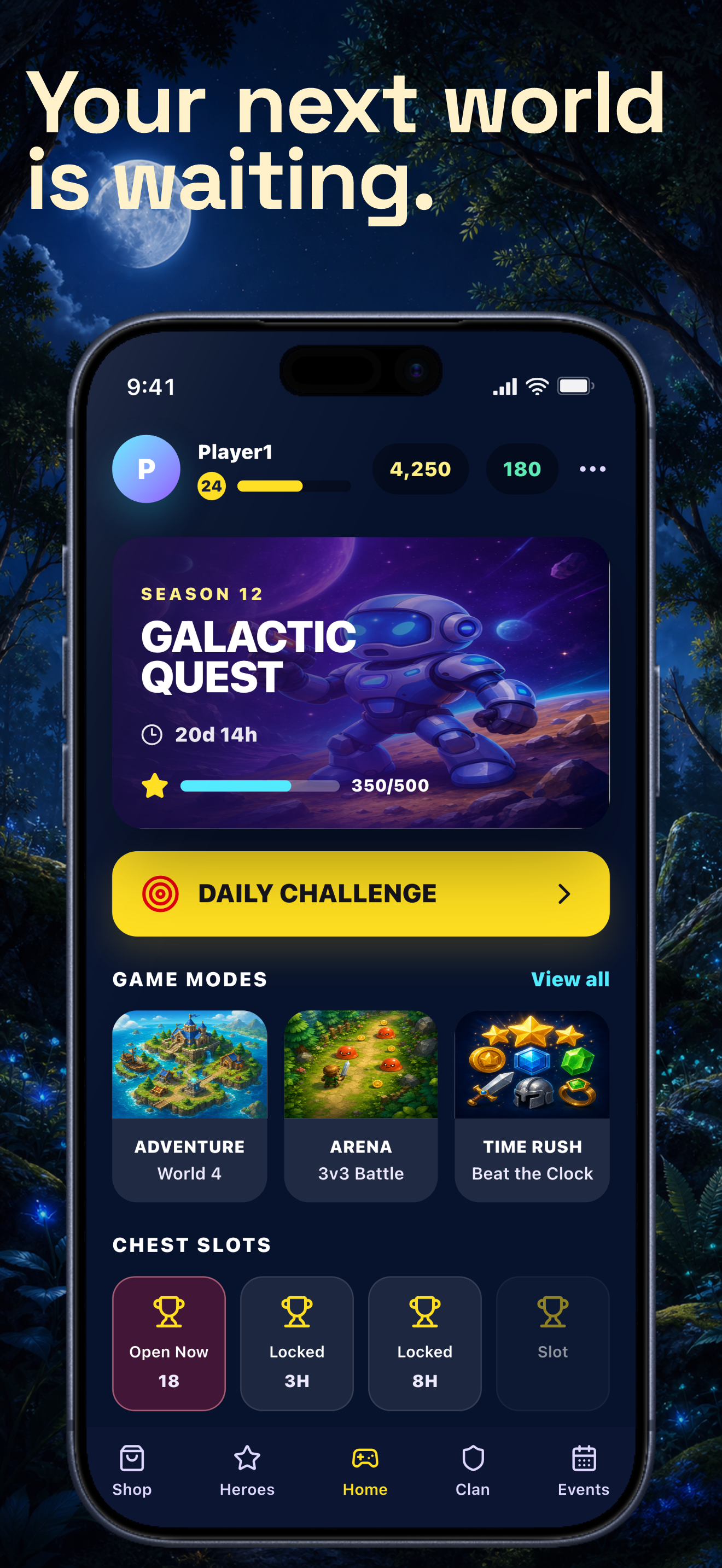
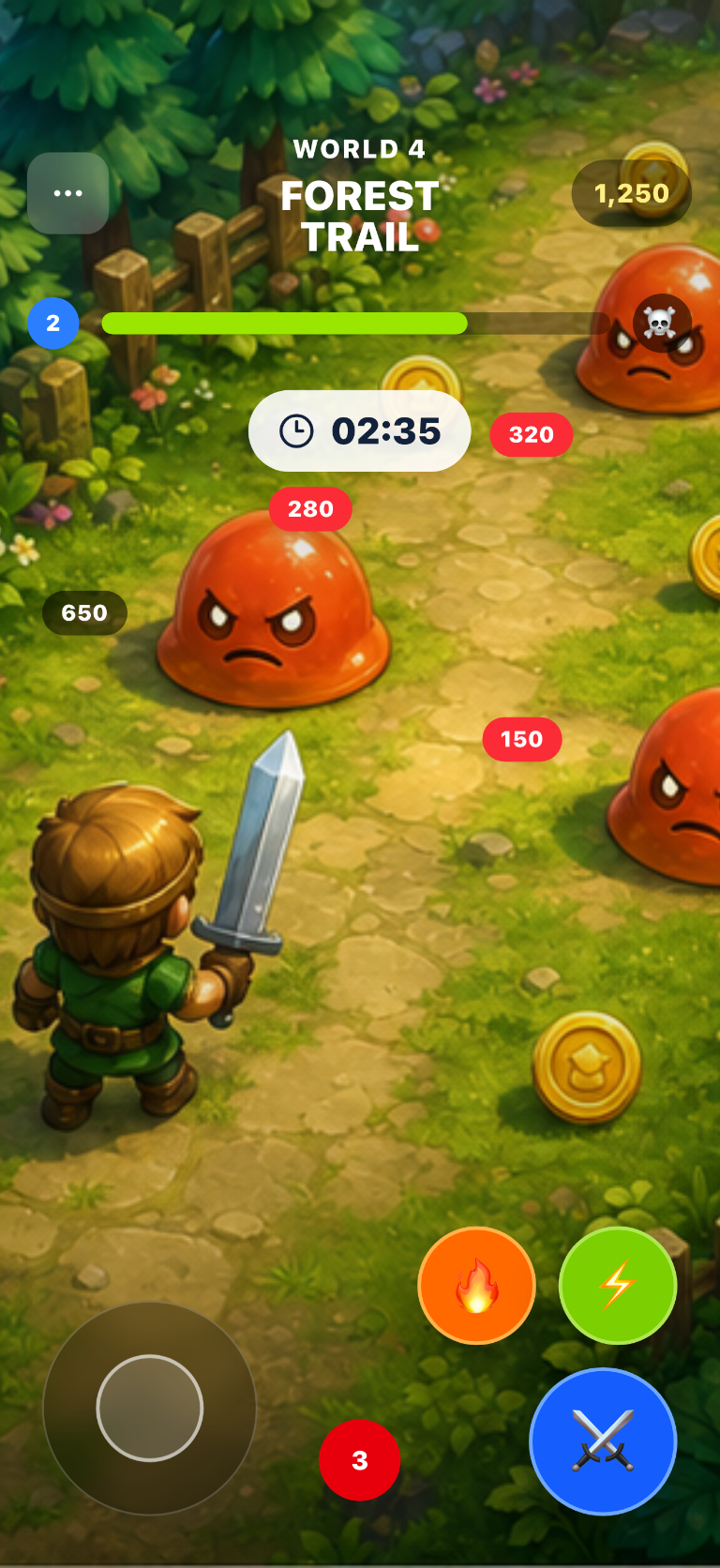
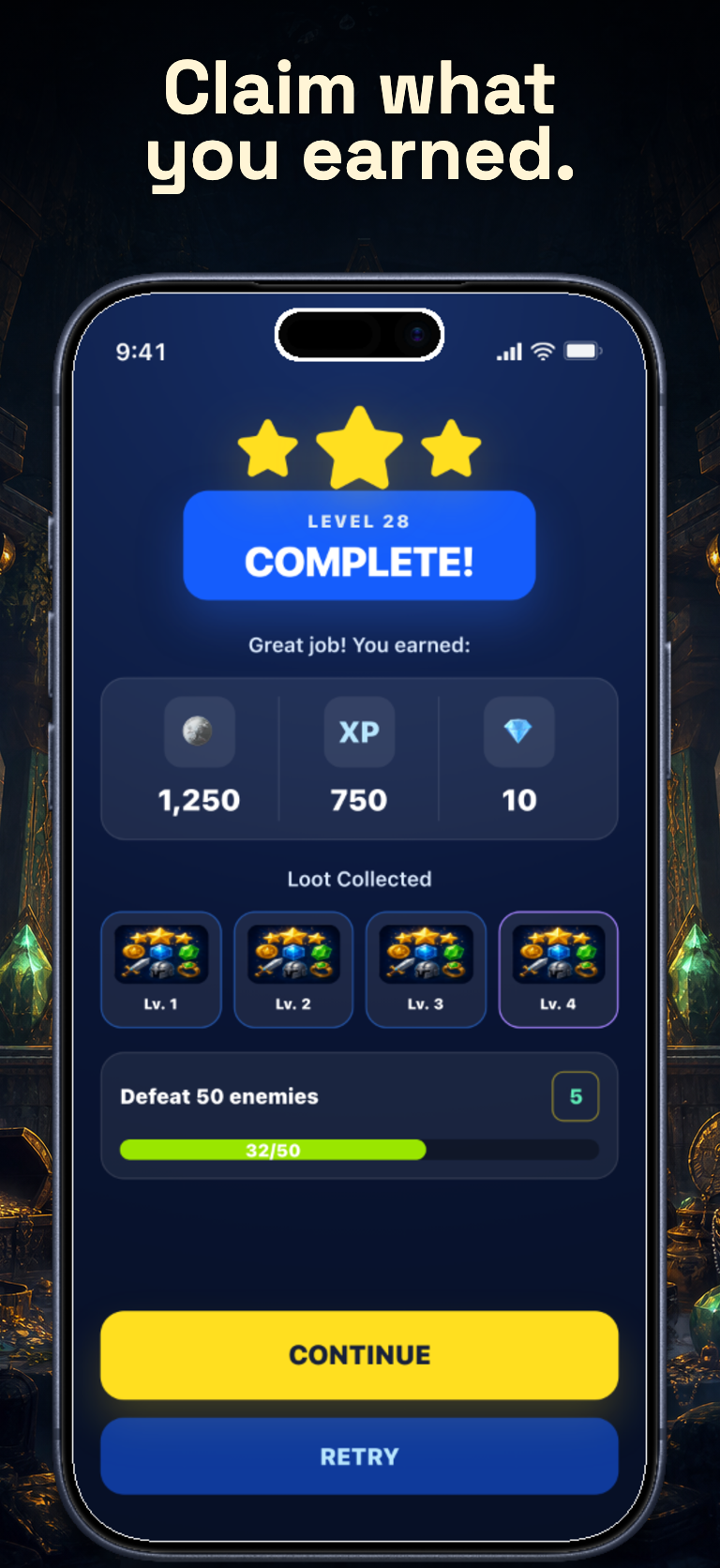
Galactic Quest screenshots built with Launchscenes.

Example export set for a gaming workflow, using fictional in-house demo screens.

Gaming template App Store screenshot demo showing Galactic Quest season lobby.
Galactic Quest full-screen gameplay App Store screenshot example showing a forest trail battle with controls, enemies, and objective UI.
Gaming template App Store screenshot demo showing Galactic Quest level-complete rewards.

What happens next

Upload up to ten PNG or JPG screenshots.
Launchscenes detects the device size and frames the layout for you.
Tune the copy, preview the layout, and download a watermark-free ZIP when you pay.

What this page helps you decide

Use the notes below to choose the right screenshot size, template, and export path for an iPhone App Store listing.

Gaming template use cases

High-energy gradients and strong contrast for action-oriented apps. Use this preset when the visual tone matches the product and the screenshot needs a clear caption system, not just decoration.

  • Games, competitive social products, rewards loops, and high-energy consumer apps.
  • Screens where visual momentum matters before detailed UI explanation.
  • Apps that can show a world, full-scale gameplay, and a reward loop across the sequence.

Gaming visual pattern and examples

Establish the game world or core fantasy, show gameplay at full scale, then close with reward and progression proof.

  • Caption example: Establish the game world or core fantasy.
  • Caption example: Show gameplay at full scale.
  • Caption example: Show reward and progression.

When not to use Gaming

Avoid Gaming for serious finance, medical, education, or trust-heavy pages. The energy can weaken credibility when the product needs calm confidence.

  • Do not bury the actual game moment under UI chrome or large captions.
  • Let gameplay fill the complete canvas when the action is readable.
  • Use completion, loot, XP, achievements, unlocks, or progression to close the sequence.

Open the builder for this setup.

The full builder opens on its own dedicated page so editing and export stay focused. Template and device recommendations from this guide are applied when supported.

Template
gaming
Device
Auto or detected
Open in builder

FAQ

Which apps fit the Gaming template best?

Games, competitive social products, rewards loops, and high-energy consumer apps.

Can I preload the Gaming template in the generator?

Yes. This page opens the generator with the matching public template preset selected so you can upload screenshots and inspect the result.

What should I check before a paid export?

Confirm the source screenshot is readable, captions are specific, the selected iPhone frame fits the upload, and the export path matches the current free, one-time Pro, or Monthly Pro policy.

More screenshot guides worth opening

Compare device sizes, browse styles, or look through category examples, then jump straight back into the dedicated builder when you are ready.