
LaunchscenesCreate screenshots free

Meditation App Screenshot Examples

Meditation products need screenshot systems that feel calm, spacious, and credible from the first frame.

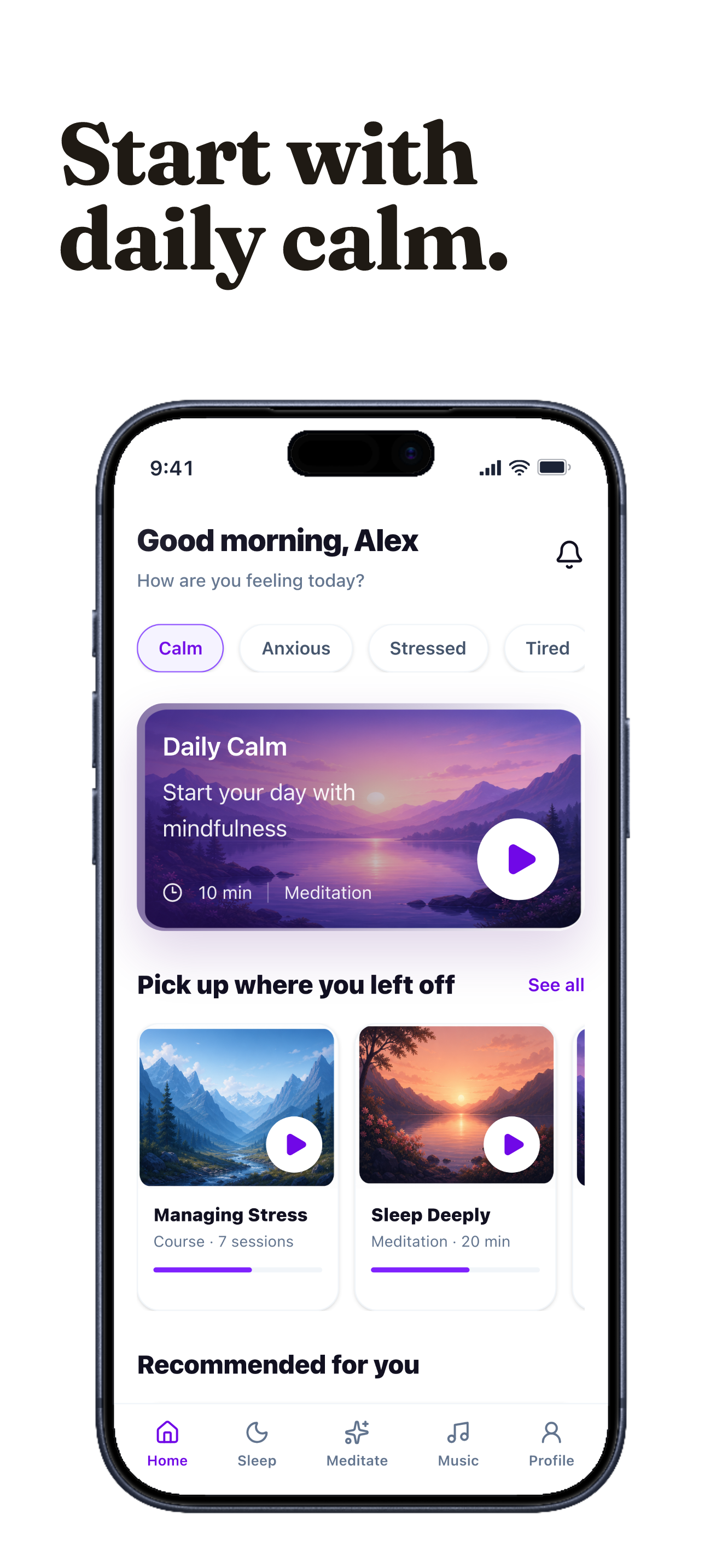
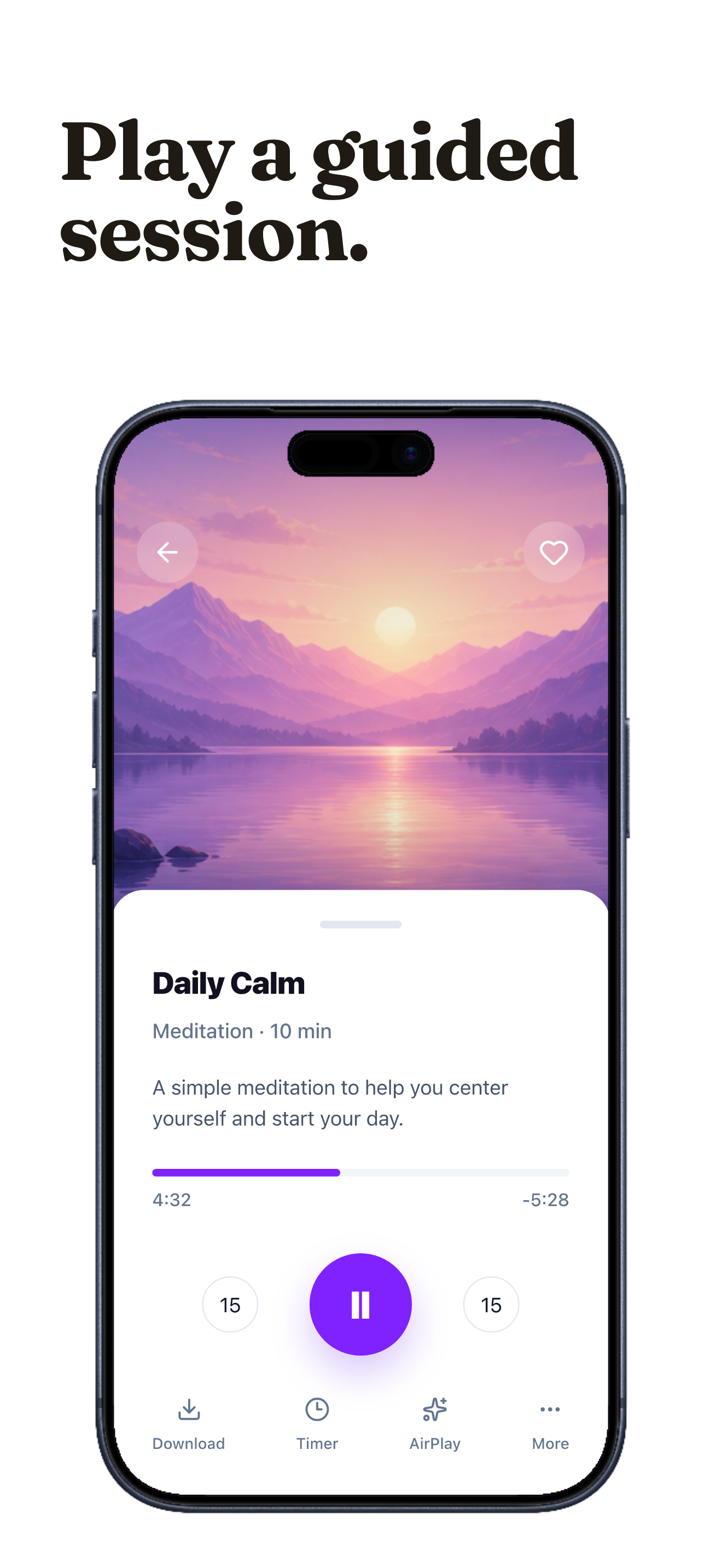
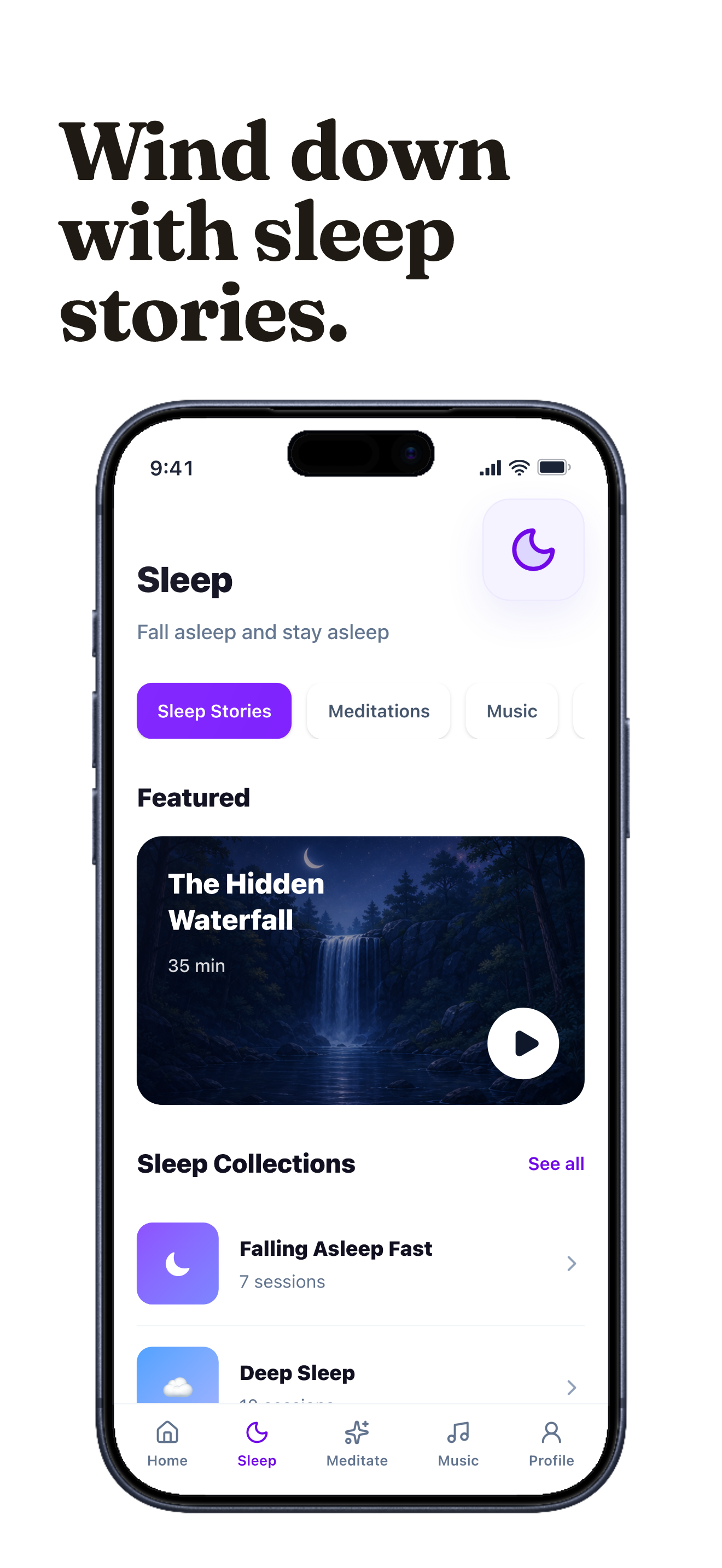
Calmspace screenshots built with Launchscenes.

Example export set for a meditation workflow, using fictional in-house demo screens.

Meditation App Store screenshot demo showing Calmspace daily session.
Meditation App Store screenshot demo showing Calmspace guided player.
Meditation App Store screenshot demo showing Calmspace sleep story collection.

What happens next

Upload up to ten PNG or JPG screenshots.
Launchscenes detects the device size and frames the layout for you.
Tune the copy, preview the layout, and download a watermark-free ZIP when you pay.

What this page helps you decide

Use the notes below to choose the right screenshot size, template, and export path for an iPhone App Store listing.

Meditation screenshot story arc

Calmer apps benefit from slower visual rhythm and captions that feel grounded. The strongest meditation screenshot set should read as a short sequence rather than isolated feature cards.

  • Frame 1: promise the calm outcome, such as sleep, focus, or a steadier routine.
  • Frame 2: show the actual session, timer, audio, breathing, or habit flow.
  • Frame 3: prove consistency with streaks, reminders, mood, or progress history.

Meditation caption examples

For meditation apps, use caption drafts like these to keep the message concrete before choosing a visual preset. The final copy should match what the app screen can actually prove.

  • Find a calmer start in two minutes.
  • Build a routine that feels light.
  • Return to focus without friction.

Meditation quality checks

Minimal is a useful starting preset for this category, but it should support the real app UI instead of forcing every screen into the same look.

  • Keep spacing generous so the screenshot feels restful.
  • Use concrete routine language instead of vague wellness promises.
  • Avoid high-saturation backgrounds that fight the product tone.

Meditation mistakes to avoid

These meditation screenshot issues are most likely to make the page feel generic or reduce trust after someone opens your App Store listing.

  • Using decorative calm imagery while hiding the actual app flow.
  • Making sleep or anxiety claims that need stronger support.
  • Crowding the frame with too many proof chips or badges.

Open the builder for this setup.

The full builder opens on its own dedicated page so editing and export stay focused. Template and device recommendations from this guide are applied when supported.

Template
minimal
Device
Auto or detected
Open in builder

FAQ

What should the first meditation screenshot say?

Find a calmer start in two minutes.

Which template should a meditation app start with?

Start with Minimal, then adjust captions and crop around the real iPhone screenshot.

Can I adapt these ideas across different iPhone sizes?

Yes. Keep the story structure stable, then inspect each selected iPhone output because smaller screens can make captions and UI labels harder to read.

More screenshot guides worth opening

Compare device sizes, browse styles, or look through category examples, then jump straight back into the dedicated builder when you are ready.