
LaunchscenesCreate screenshots free

Startup App Store Screenshot Template

This template balances editorial polish with strong CTA energy so new-product screenshots feel refined quickly.

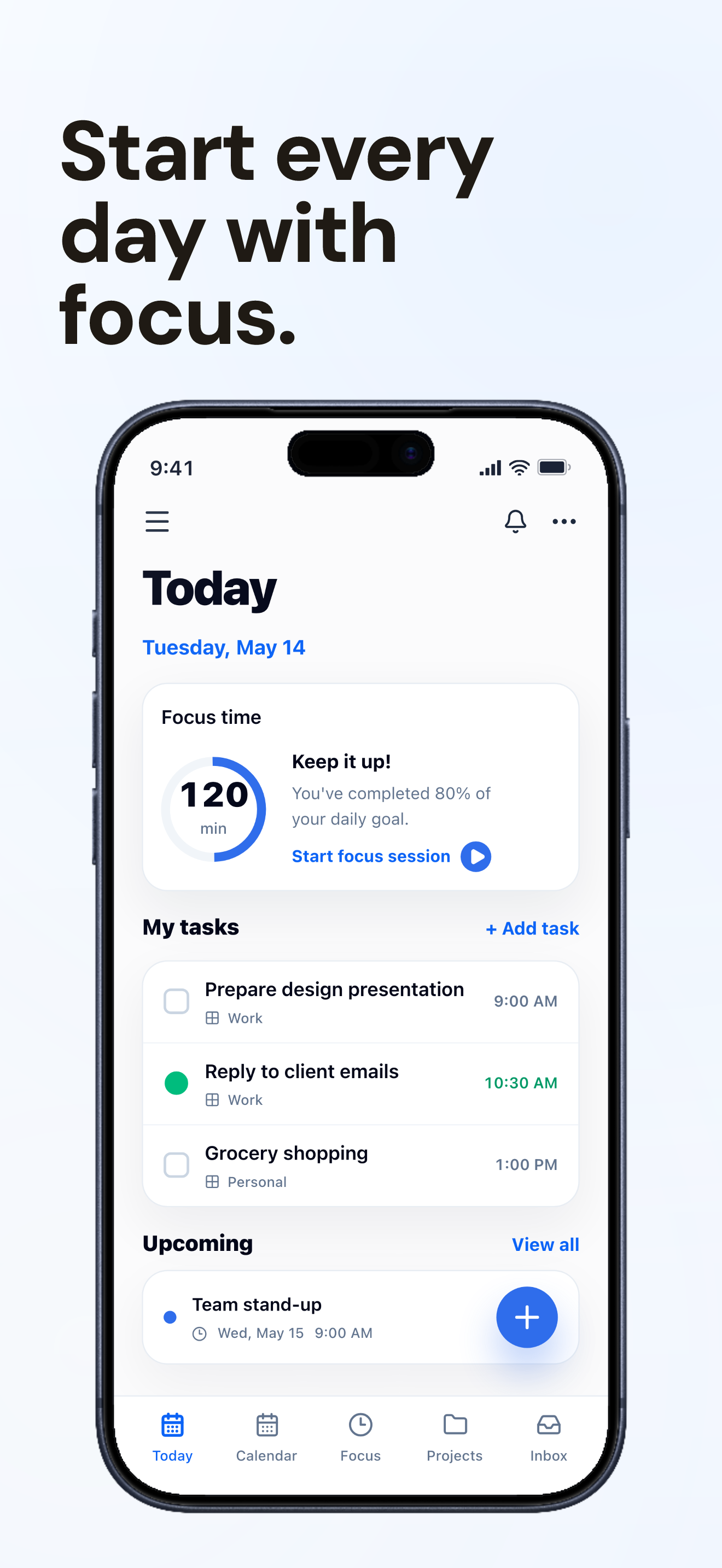
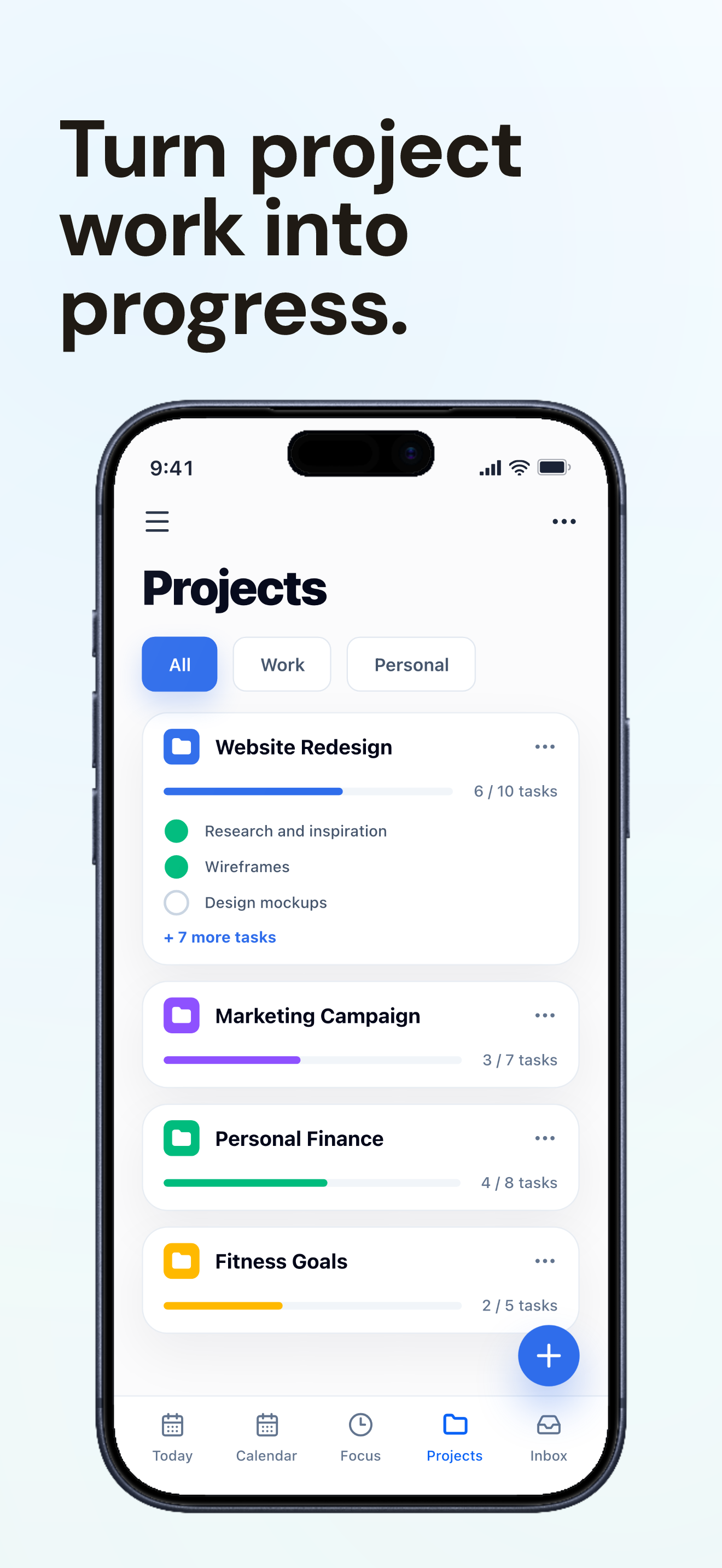
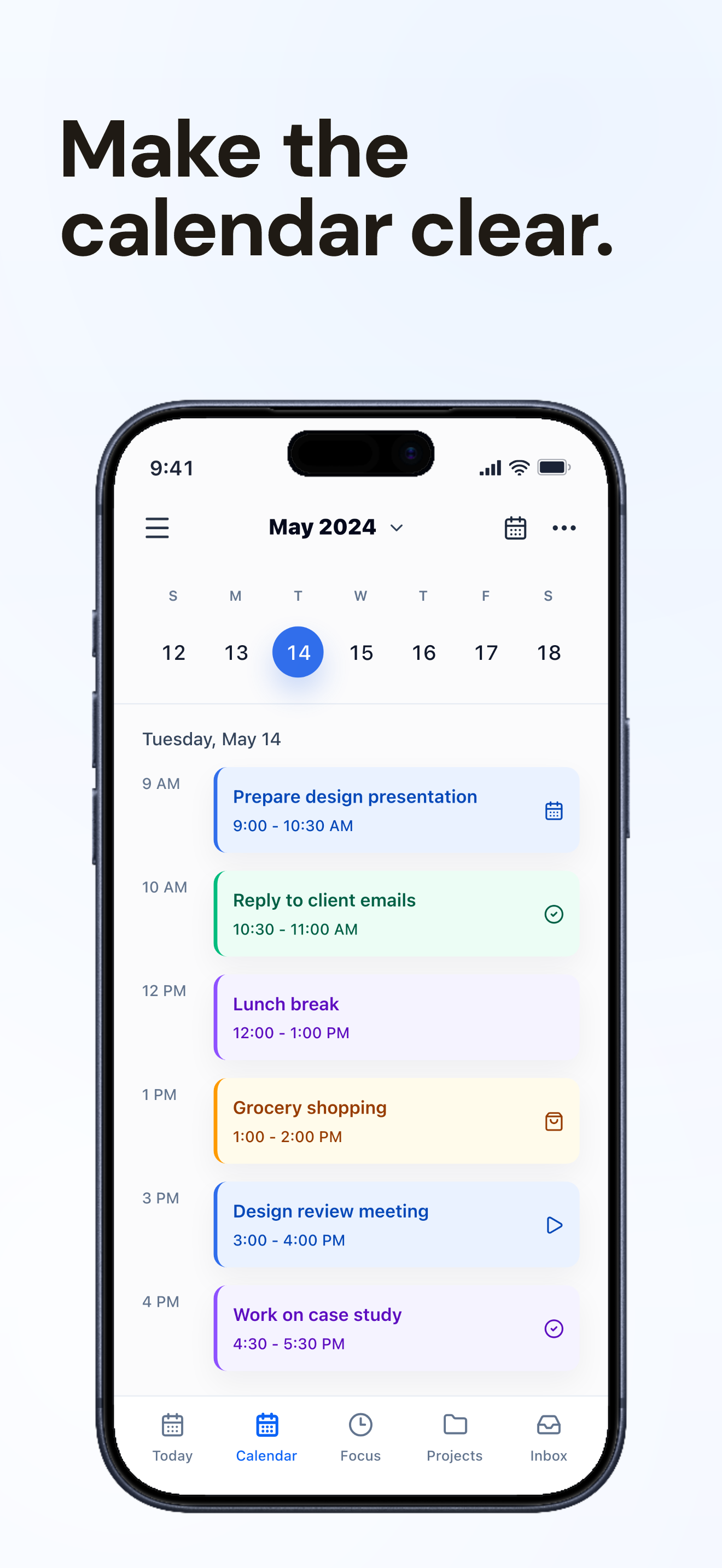
FocusDock screenshots built with Launchscenes.

Example export set for a productivity workflow, using fictional in-house demo screens.

FocusDock App Store screenshot showing the Today dashboard, focus time, and daily tasks.
FocusDock App Store screenshot showing project progress and grouped tasks.
FocusDock App Store screenshot showing a daily calendar schedule.

What happens next

Upload up to ten PNG or JPG screenshots.
Launchscenes detects the device size and frames the layout for you.
Tune the copy, preview the layout, and download a watermark-free ZIP when you pay.

What this page helps you decide

Use the notes below to choose the right screenshot size, template, and export path for an iPhone App Store listing.

Startup template use cases

Confident launch page aesthetic tuned for B2B and product-led growth apps. Use this preset when the visual tone matches the product and the screenshot needs a clear caption system, not just decoration.

  • B2B apps, SaaS tools, workflow products, and product-led growth launches.
  • Screens where the message is about speed, collaboration, onboarding, or team control.
  • New products that need a polished editorial feel without custom design production.

Startup visual pattern and examples

Use structured, product-led layouts for SaaS and B2B apps, with clear headlines, focused product screens, and confident spacing.

  • Caption example: Turn every request into a shipped task.
  • Caption example: Bring the whole launch into one queue.
  • Caption example: Know what changed before the team asks.

When not to use Startup

Startup is weaker for playful consumer apps, games, and highly visual marketplaces because its B2B tone can make the product feel more corporate than intended.

  • Make the first caption outcome-led and specific, not a generic productivity slogan.
  • Use screenshots that show workflow clarity: lists, boards, approvals, messages, or dashboards.
  • Keep product screens large enough to inspect, with strong left-to-right hierarchy.
  • Keep brand marks secondary so the app UI remains the proof.

Open the builder for this setup.

The full builder opens on its own dedicated page so editing and export stay focused. Template and device recommendations from this guide are applied when supported.

Template
startup
Device
Auto or detected
Open in builder

FAQ

Which apps fit the Startup template best?

B2B apps, SaaS tools, workflow products, and product-led growth launches.

Can I preload the Startup template in the generator?

Yes. This page opens the generator with the matching public template preset selected so you can upload screenshots and inspect the result.

What should I check before a paid export?

Confirm the source screenshot is readable, captions are specific, the selected iPhone frame fits the upload, and the export path matches the current free, one-time Pro, or Monthly Pro policy.

More screenshot guides worth opening

Compare device sizes, browse styles, or look through category examples, then jump straight back into the dedicated builder when you are ready.